Keep every journey
Record your route and ride statistics, then revisit your saved trips.
Record your motorcycle journeys, revisit your trips and stay connected with other riders.
UK beta for Android and iPhone. Apple CarPlay ride controls are now being tested.
Free to download · Optional Premium · Installation help
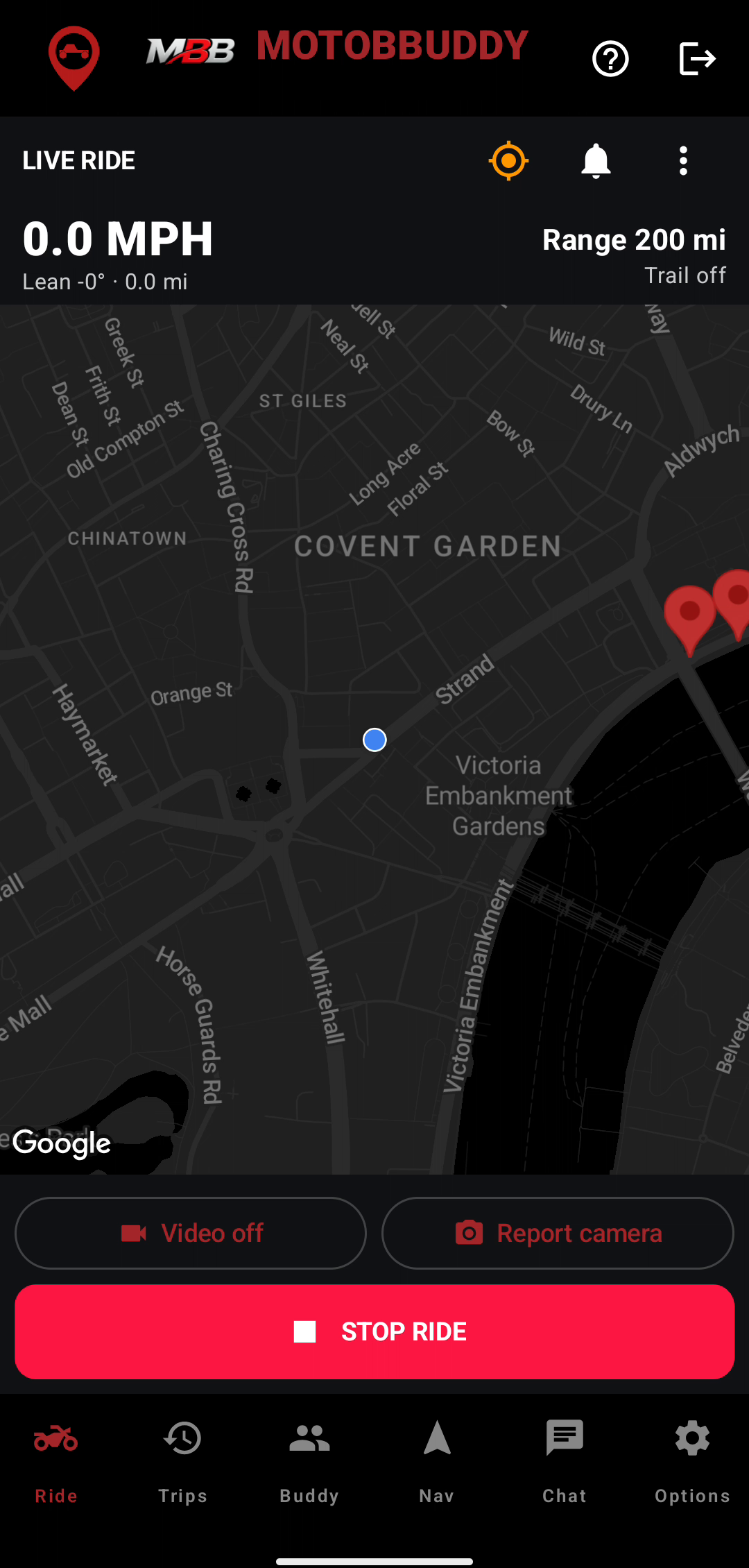
Record your route and ride statistics, then revisit your saved trips.
Plan routes and use GPX import and export to keep your riding plans together.
Chat with buddies and discover meetups. Premium adds more community tools.
Choose Android for UK Google Play open testing, or follow the iPhone instructions to join the TestFlight beta.
The app is free to download. Android Premium subscriptions are paid. Purchases inside the iOS TestFlight beta are test transactions.
iPhone installation steps1. Join the UK open test with your Google Play account. Use the same Google account when downloading.
Join testing2. Download MotoBBuddy from Google Play.
Download on Google PlayAlready joined? Go straight to Google Play to install or update the app.
Install through Apple’s free TestFlight app. Our public beta is limited to 100 testers.
Join the public iPhone beta through TestFlight. Open the invitation on your iPhone. If the beta is full or temporarily unavailable, contact us for help.
Already an invited tester? Your existing invitation still works. Open TestFlight and tap Update for the latest available MotoBBuddy build.
No redemption code is needed for the public link. To update, open TestFlight and tap Update. Send beta feedback from TestFlight, or contact support if you need help.
TestFlight builds expire after 90 days. Keep TestFlight installed and use the latest available build.
Help test MotoBBuddy’s new CarPlay ride controls with a compatible display.
Available for testing on iPhone with iOS 16 or later and a compatible CarPlay display. Update MotoBBuddy through TestFlight.
Try the iPhone betaWhile safely parked, open MotoBBuddy on your iPhone, sign in and grant location access. After a fresh launch, open the phone app to prepare the session.
This beta provides ride controls. CarPlay maps, turn-by-turn navigation, messaging, video and emergency-alert controls are not included in this version.
Disconnecting CarPlay leaves an active ride recording. Finish and save when your ride is over.
Fresh recordings from the current Android app, with clear captions and shorter pacing. Ride clips use simulated GPS and sample sensor values; the Garage tour uses a sample bike.
A short demonstration of starting a free ride, viewing the current dashboard and a camera warning, finishing and finding the saved trip.
Open a saved route, view its map and play the Premium 3D replay. Recorded with a short simulated route in the Android emulator.
A short screen tour of bike details and a mileage-based maintenance reminder, using a manually entered sample bike.
Use full screen for a closer look. These demonstrations show Android; iPhone screens and available features may differ.
I’m Paul, the rider behind MotoBBuddy. I’m building it to bring ride recording, trip memories and riding buddies together. Your beta feedback helps me decide what to improve next.
Send Paul your feedbackJoin the UK open test using your Google account, then install from Google Play using that same account. Follow the installation steps.
Install Apple’s free TestFlight app, open the MotoBBuddy invitation on your iPhone, then accept and install. No public invitation redemption code is needed. Keep TestFlight installed for updates.
The app is free to download. Ride essentials are free; advanced community, AI and Garage tools are Premium. Android Premium is an optional paid subscription through Google Play. Purchases inside the iPhone TestFlight beta use Apple’s test environment and do not charge real money.
Both versions are in beta. Feature availability and permission setup can differ between platforms and builds. CarPlay ride controls are available for testing on iPhone; check your app for the tools available in your current build.
Location access supports ride recording and location features. Other permissions depend on the tools you choose, such as camera, microphone or notifications. Review the prompts in the app and read our privacy policy.
During an active ride, crash detection can identify a potential impact and give you 60 seconds to cancel an alert. Emergency-contact delivery depends on the platform’s setup, permissions and connectivity. Configure and check the safety feature in your app before relying on it. It is an assistance feature, not a replacement for emergency services.
Yes. You can explore features such as chat and trip planning, review the layout and send feedback without riding.
Send feedback through TestFlight on iPhone or email Paul. Include your phone model, app version and what happened. Avoid including private messages or precise locations in screenshots.